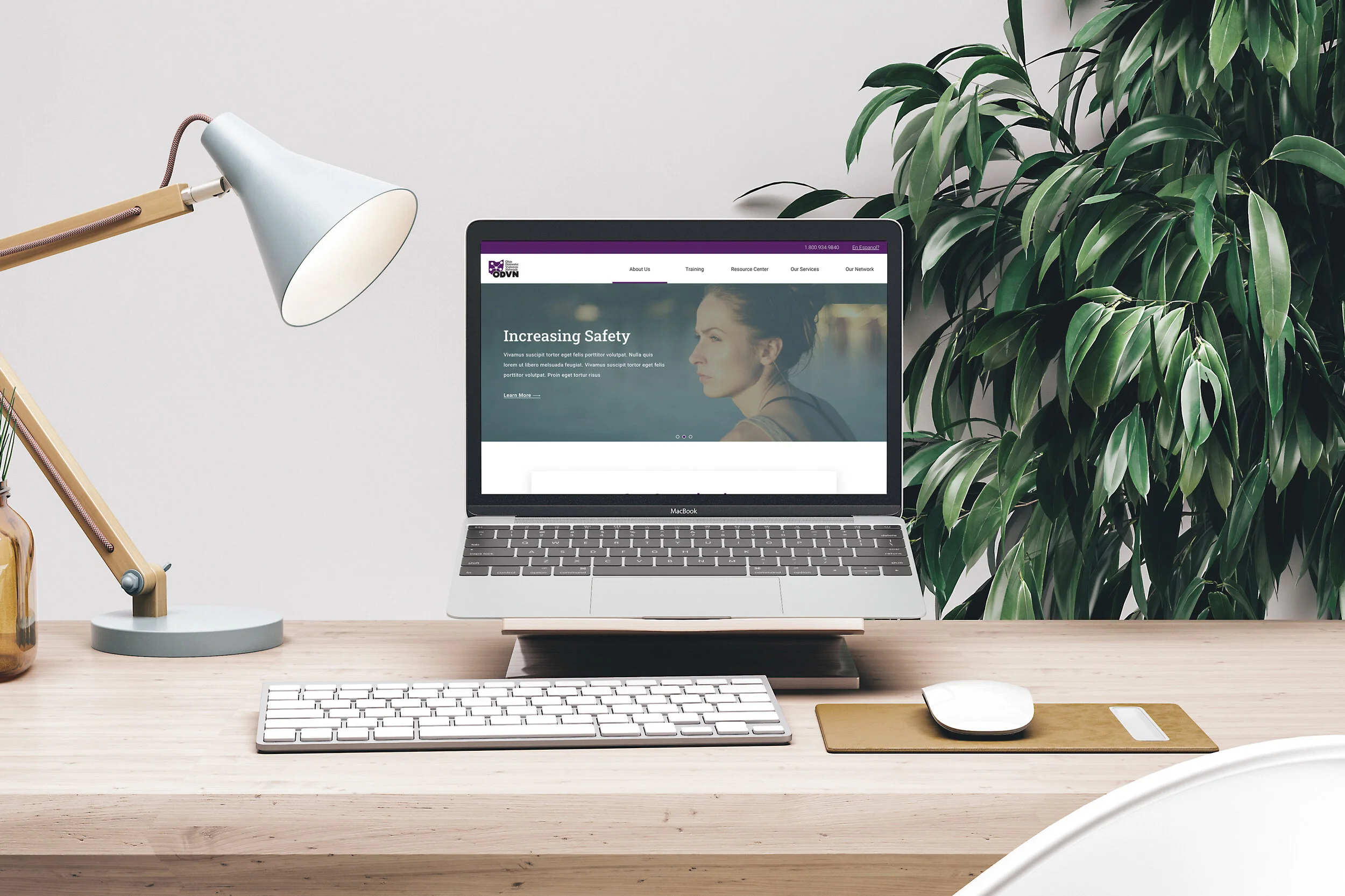
Providing domestic violence victims simple & easy access to Ohio Domestic Violence Network resources.

ODVN’s old website was doing its own thing—think of a maze with a map written in invisible ink. Critical resources, events, and donation options were scattered, making it hard for users to find the support they needed. The site’s outdated design and confusing navigation weren’t just a UX headache—they were a barrier for people seeking life-changing help.


Objective: Make the website a clear, accessible, and user-centered hub for domestic violence survivors, advocates, and donors.

Year

2020

Year

2020

Year

2020

Client

Ohio Domestic Violence Network

Client

Ohio Domestic Violence Network

Client

Ohio Domestic Violence Network

Role

Web Designer + Website Builder
Role

Web Designer + Website Builder

Role

Web Designer + Website Builder

“Where even am I?”

Only 5% of one platform for the mobile app was documented in a reusable component library, costing designers valuable time in hacking together screenshot experiences.

Only 5% of one platform for the mobile app was documented in a reusable component library, costing designers valuable time in hacking together screenshot experiences.

Critical resources, guides, and event information were scattered across multiple pages, buried under outdated menus and jargon that only a seasoned internet archaeologist could decipher. For survivors, advocates, and community members seeking immediate guidance or support, this wasn’t just inconvenient—it was stressful, overwhelming, and at times, a barrier to getting help.

The design itself was a relic of a bygone era: small fonts, cramped layouts, and confusing navigation made it hard for users to know where to click, and even harder to trust that they’d actually find what they needed. On mobile devices, the experience was even more frustrating—important information didn’t scale, links were finicky, and forms were clunky.

From a user perspective:

  • Finding specific resources felt like solving a puzzle without all the pieces.

From a business perspective, the site wasn’t supporting ODVN’s mission to prevent and end domestic and sexual violence in Ohio. Low engagement, high bounce rates, and scattered information meant fewer people accessing critical resources.
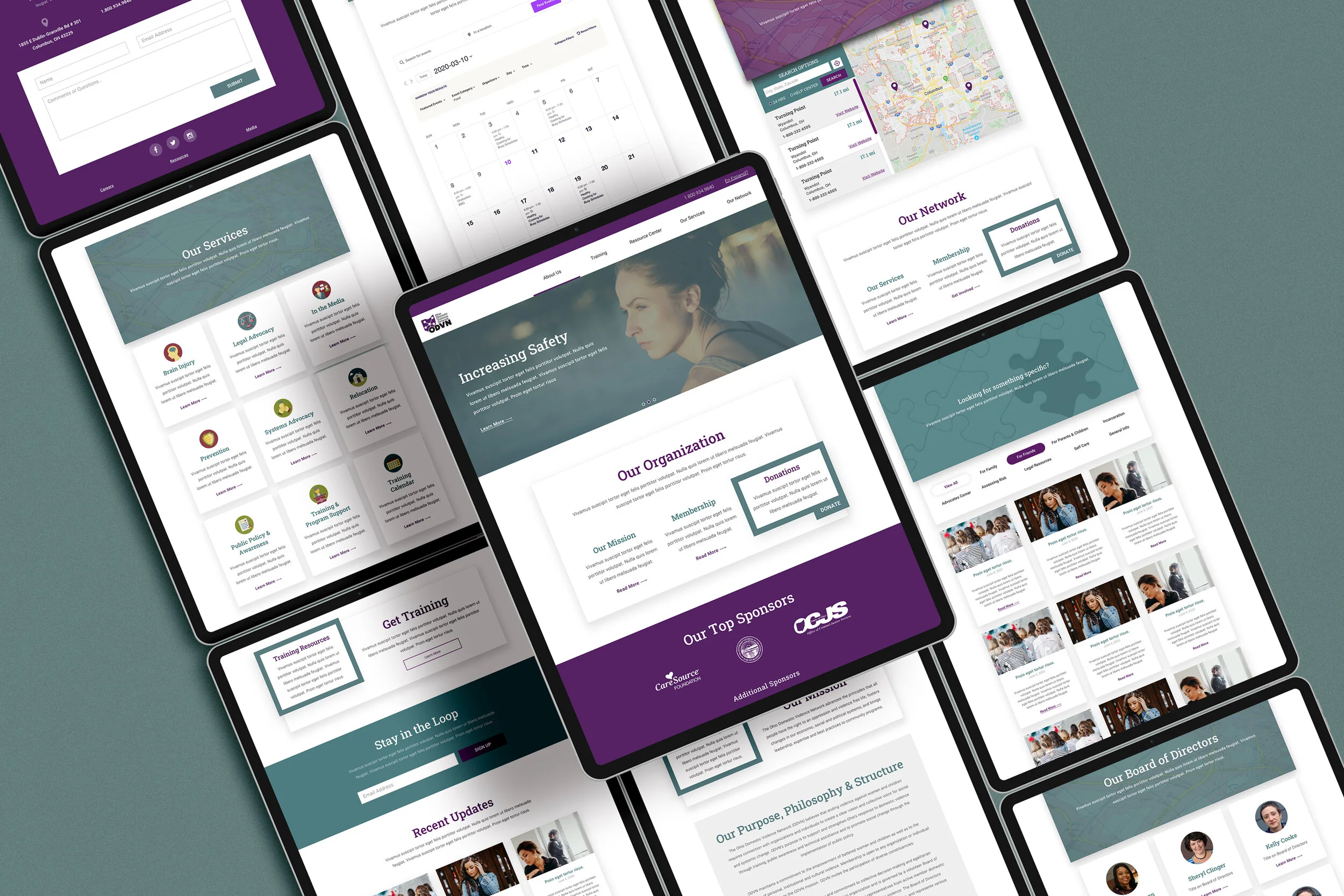
The Solution: From Clutter to Clarity

Attack the costly leaks first—the places customers love to escape.

Attack the costly leaks first—the places customers love to escape.

We got to work turning a maze into a structured & organized centralize hub of information.

The goal was clear: every click should feel intuitive, every resource should feel reachable, and every interaction should feel safe. Using Divi visual builder for WordPress, the website was built in a way that’s both flexible for content updates and a delight for users to navigate.

The redesign wasn’t just cosmetic—it was strategic. By organizing information logically, highlighting urgent resources, and improving accessibility, the site truly supports the people it serves.

Safety Escape Button

To protect the most vulenerable users.

Providing a single-click global button on the website gave us the ability to provide safety for those still in abusive situations. The button would simply close the browser window instantly.

Resource Library with Filters

The right help at the right time.

A searchable, filterable library allows users to quickly locate guides, toolkits, and support resources. Filters include topic, audience, and type of resource, making critical information accessible to everyone.

Clear Call-to-Action Buttons

Encourage action without pressure.

Strategically placed buttons guide users to key actions—contacting support, accessing resources—without feeling pushy or overwhelming.

Smooth Sailing Navigation

Find what you need without the detours

We reorganized the menu structure and added clear, descriptive labels. No more guessing games—visitors can find resources, events, and donation pages within just two clicks.

Mobile-Friendly & Accessible Design

Every user matters, everywhere.

Fully responsive layouts and WCAG-compliant elements make the website usable across devices and assistive technologies. Font sizes, contrasts, alt-text, and keyboard navigation were all optimized for accessibility.

Safety Escape Button

To protect the most vulenerable users.

Providing a single-click global button on the website gave us the ability to provide safety for those still in abusive situations. The button would simply close the browser window instantly.

Clear Call-to-Action Buttons

Encourage action without pressure.

Strategically placed buttons guide users to key actions—contacting support, accessing resources—without feeling pushy or overwhelming.

Mobile-Friendly & Accessible Design

Every user matters, everywhere.

Fully responsive layouts and WCAG-compliant elements make the website usable across devices and assistive technologies. Font sizes, contrasts, alt-text, and keyboard navigation were all optimized for accessibility.

Resource Library with Filters

The right help at the right time.

A searchable, filterable library allows users to quickly locate guides, toolkits, and support resources. Filters include topic, audience, and type of resource, making critical information accessible to everyone.

Smooth Sailing Navigation

Find what you need without the detours

We reorganized the menu structure and added clear, descriptive labels. No more guessing games—visitors can find resources, events, and donation pages within just two clicks.

Safety Escape Button

To protect the most vulenerable users.

Providing a single-click global button on the website gave us the ability to provide safety for those still in abusive situations. The button would simply close the browser window instantly.

Clear Call-to-Action Buttons

Encourage action without pressure.

Strategically placed buttons guide users to key actions—contacting support, accessing resources—without feeling pushy or overwhelming.

Mobile-Friendly & Accessible Design

Every user matters, everywhere.

Fully responsive layouts and WCAG-compliant elements make the website usable across devices and assistive technologies. Font sizes, contrasts, alt-text, and keyboard navigation were all optimized for accessibility.

Resource Library with Filters

The right help at the right time.

A searchable, filterable library allows users to quickly locate guides, toolkits, and support resources. Filters include topic, audience, and type of resource, making critical information accessible to everyone.

Smooth Sailing Navigation

Find what you need without the detours

We reorganized the menu structure and added clear, descriptive labels. No more guessing games—visitors can find resources, events, and donation pages within just two clicks.

How users got better support when they needed it most.

How users got better support when they needed it most.

Design isn’t just about looking nice—it’s about making life easier for the people who actually need your help. With ODVN, that meant putting users first at every scroll, click, and tap. Every decision was tested against one key question: Does this make it easier for someone seeking support, volunteering, or donating?

Here’s how that translated into real-world impact:
  • Immediate Access to Critical Resources: Survivors can now find guidance and support materials in under a minute, even on mobile.

  • Inclusive & Accessible for All: High-contrast design, scalable text, and clear labels ensure that the website is not just accessible, but welcoming. Users feel seen, safe, and supported.

  • Feedback That Fuels Change: The Safety Escape button helps users feel protected during an already vulnerable moment: seeking help.

By putting people first, we didn’t just redesign a website—we created a digital ally. Users feel guided, supported, and empowered, which means the organization’s impact is amplified and more help reaches more people.